
Access to the casino, the sportsbook and the cashier all starts from one account. Registration takes a few minutes, the same details work on desktop and mobile, and verification is needed before the first withdrawal. This guide walks through each step, from creating the account to the first Zombillion Casino login and the documents the payments team may request.
How to Register at Zombillion
New players sign up from the Sign Up button in the top corner of the official Zombillion site. The form asks for basic details, and everything entered must match official documents, because the same data is checked during verification.
- Open the official Zombillion site and press Sign Up.
- Enter an email address and create a strong, unique password.
- Choose the account currency; it usually cannot be changed later without help from support.
- Fill in personal details such as full name, date of birth and address.
- Confirm being over 18 and accept the terms and privacy policy.
- Submit the form and open the confirmation email if one is sent.
Once the form is submitted, the account is active and the player can sign in straight away. The welcome bonus is chosen later, in the cashier, before the first deposit, so there is no need to enter a code during registration.
Signing In Step by Step
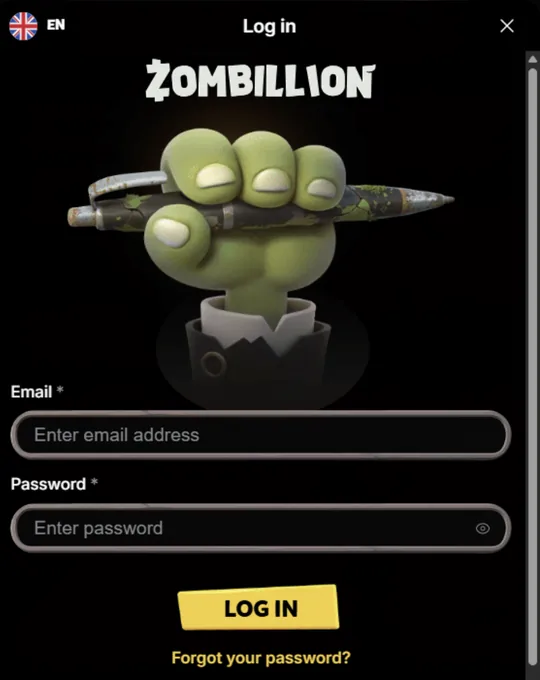
Signing in is the same on every device. The player presses the Log In button in the header, enters the registered email and password, and confirms. Once signed in, the balance, the cashier and the profile appear at the top of the page, and the Zombillion sportsbook opens under the same session without a second sign-in.
A few tips keep access smooth and safe:
- Use a password manager instead of reusing passwords from other sites
- Log out on shared or public devices
- Keep the browser up to date, especially on mobile
- Contact support straight away if access from an unknown device is suspected
Zombillion Account Verification
Verification, often called KYC, confirms the player's identity, age and address. The payments team usually asks for a passport or another photo ID and a recent utility bill or bank statement, and may request proof of the payment method used. Documents are uploaded from the profile section, and photos should be clear, uncropped and in colour. Withdrawals cannot be processed until verification is complete, so uploading documents right after registration avoids delays when the first win comes in. Zombillion support can confirm by chat which documents are still missing.
Forgotten Password
If the password is lost, the Forgot Password link on the Zombillion login form sends a reset link to the registered email. The link is valid for a limited time, so it should be used promptly. If the email does not arrive, the spam folder is the first place to check; if it is still missing, live chat can help confirm the address on the Zombillion account. Repeated failed attempts may lock the account temporarily for security, and support can unlock it after confirming the player's identity.
Zombillion on Mobile: Signing In
The mobile site uses the same form as desktop. Adding the site to the home screen through Chrome on Android or Safari on iPhone turns the Zombillion Casino login into a one-tap shortcut that opens in full-screen mode. Browsers can also save the password securely, which makes regular sign-ins faster without weakening security. Live dealer games, the sportsbook and the cashier all work in the mobile browser with the same account.
Making the First Deposit
With the account open, the player goes to the cashier, chooses a payment method and enters an amount of at least €20. Visa, Mastercard, Skrill, Revolut, Apple Pay, Google Pay, bank transfer and crypto are available. The casino or sports welcome offer is selected here before paying, and the bonus is credited automatically once the deposit arrives. Deposits are free from the casino's side, although a bank or blockchain network may charge its own fee. It is also the right moment to set a deposit limit in the Zombillion account settings, before any play begins.